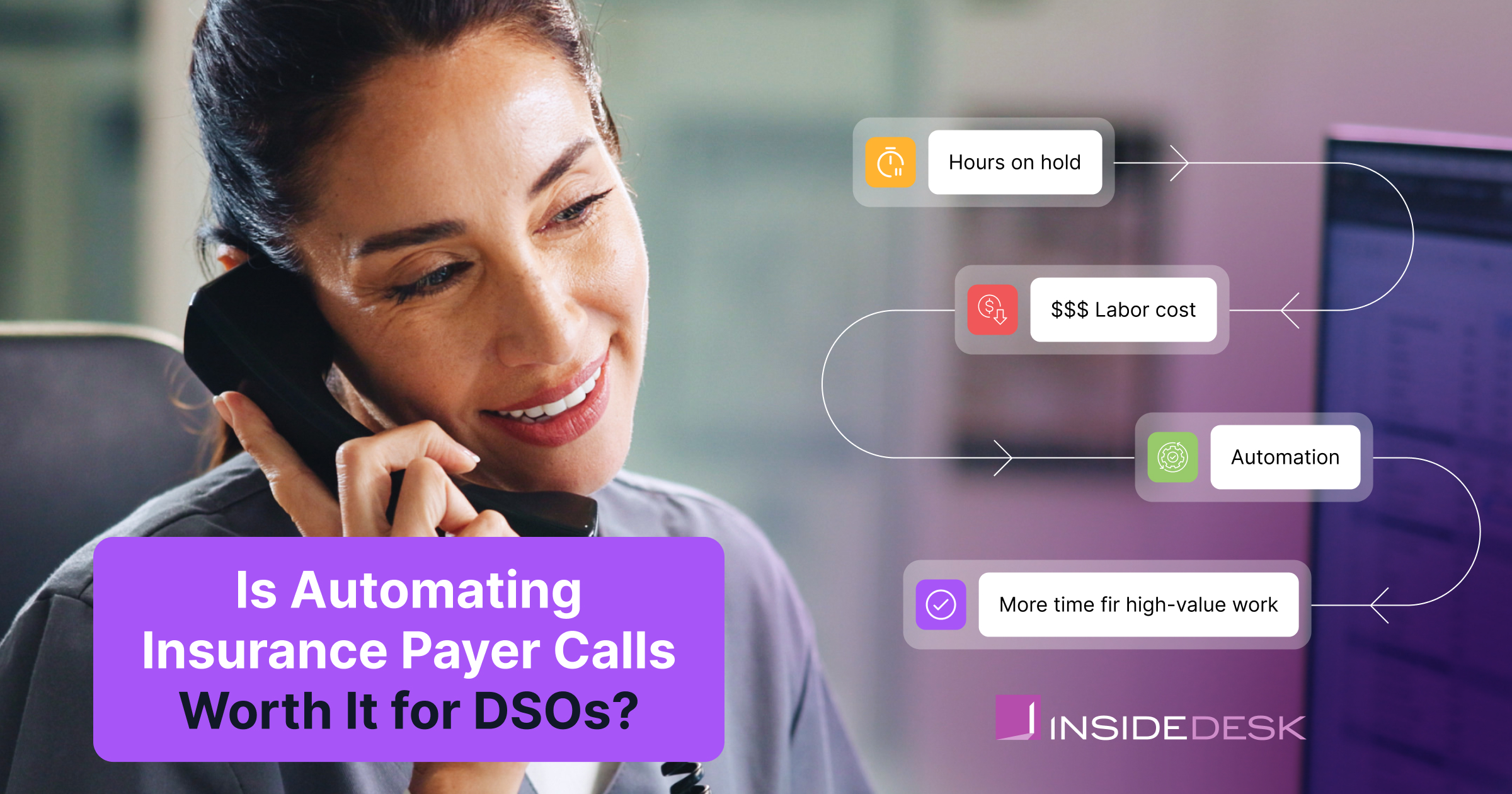
For most multi-location groups, yes,, because the cost being automated away is the skilled biller hours spent on hold. However, “most” is not “all,” and a purchase this operational deserves a dedicated model rather than a vendor’s slide. This post explains what payer calls cost a group, a simple formula to run with your own numbers, what automation changes, what it does not, and the situations where we would tell you to pass.
What payer calls cost a DSO
Direct labor. A status call is mostly waiting: navigating the IVR, holding, re-verifying, and finally capturing an answer that often takes seconds to deliver. That waiting is paid at your biller’s loaded hourly rate, every call, every location, every week.
Opportunity cost. Every hour on hold is an hour not spent working denials, contesting underpayments, or chasing the claims that need judgment. The call itself is rarely the valuable work and is instead the errand that stands between your team and the valuable work.
Speed. Claims wait for information, and waiting is how AR days accumulate. A denial discovered on day 25 instead of day 60 is the difference between a correction inside the appeal window and a write-off, so the delay between “submitted” and “status known” carries a revenue cost of its own, on top of the labor.
The model: run your own numbers
The core calculation fits on an index card:
Annual call cost = calls per location per week × average minutes per call ÷ 60 × loaded hourly cost × 52 × number of locations
For illustration only, with deliberately conservative inputs you should replace with your own: a location making 25 payer calls a week at an average of 25 minutes per call (hold time included) spends about 10 hours a week on the phone. At a $25 loaded hourly cost, that is roughly $13,500 a year per location, or in the neighborhood of $270,000 a year across a 20-location group, before counting the opportunity and speed costs above. Put differently, every routine status check costs about ten dollars to ask a question whose answer takes thirty seconds to hear.
Groups with heavy PPO mixes, payers without reliable portals, or centralized billing teams often run well above these assumptions, and small groups with clean payer mixes can run below them. The point of the model is that once you fill in your own four numbers, the ceiling on what automation is worth to you stops being a matter of opinion.
Figures above are illustrative assumptions for the worked example, not benchmarks. Replace them with your own call logs and labor costs; the formula does the rest.
What automation changes
Payer call automation, done properly, uses AI to place the calls your team would have made: it navigates the IVR, waits on hold, retrieves claim status, denial reasons, and payment details, and writes the answers back to the claim record automatically. Which is what InsideDial does. The practical effects for a group are three.
The hold time disappears from payroll. The waiting still happens; it just happens to software. The biller hours that used to absorb it go back to denials, appeals, and underpayments, which is where trained judgment actually earns its wage.
Statuses arrive in bulk, early, and on schedule. Instead of learning a claim’s fate one call at a time, in whatever order the queue allowed, teams get answers across the portfolio while appeal windows are still open. Problems surface at day 25, not day 60.
The answers land as data, not sticky notes. Call outcomes written directly to the record are consistent, auditable, and visible across locations, which quietly fixes a data-quality problem most groups do not realize their handwritten call notes were causing.
What it does not change
Automation places calls; it does not make your revenue cycle sound. If claims go out with eligibility unverified or attachments missing, automating the status check tells you about the resulting denials faster, but it does not prevent them; the front-end fixes in our 12-step revenue cycle checklist still have to happen. A minority of calls, complex appeals, negotiations, anything requiring judgment mid-conversation, will still belong to humans. Also, the return depends on your team redeploying the recovered hours to higher-value work, so automation frees capacity and management decides what the capacity becomes.
When it is not worth it: a single office making a handful of calls a week does not have enough waiting to automate, and a group whose payer mix is almost entirely covered by reliable portals and ERAs may find the call volume too small to matter. If your annual call cost lands in the low four figures, spend your automation budget elsewhere in the cycle first, and we will be the first to say so.
Beyond labor: where the second-order return shows up
The labor math above is the floor of the return, and the easiest part to defend in a budget meeting. The larger gains tend to arrive downstream which are: denials worked inside their windows instead of discovered after, follow-up prioritized by dollars and deadlines because statuses are known, and AR days compressed because claims stop waiting on information. Those effects are harder to attribute to any single tool, which is why we report them at the platform level. On average, practices running on InsideDesk collect about 34% faster, recover roughly $65,000 more per location per year, and see billing team productivity rise about 51%. Payer call automation is one of the engines behind those numbers, working alongside automated follow-up, posting, and analytics.
Questions to ask any vendor
- Which payers can you call today, and what share of our specific payer mix does that cover?
- What happens when a payer changes its IVR or hold behavior, and who maintains that?
- Where do call results land? A report we read, or structured data written to the claim record in our workflow?
- How is pricing structured relative to call volume, and what happens to cost as we add locations?
- What do your customers redeploy the recovered hours into, and what results do they attribute to that?
Automating payer calls: FAQ
What does it cost a DSO to make payer calls manually?
It depends on call volume, hold times, and labor cost, which is why the model is important: calls per week × minutes per call ÷ 60 × loaded hourly cost × 52 × locations. Under conservative illustrative inputs, a 20-location group can spend on the order of a quarter million dollars a year on call labor alone.
Does call automation replace billing staff?
No, it replaces the waiting inside their day. The recovered hours move to the work that requires judgment: denials, appeals, and underpayments. Groups typically grow without adding billing headcount at the same rate as locations, rather than reducing the team they have.
Will automated calls work with every payer?
Coverage varies by vendor and payer, which is why payer-mix coverage should be the first question in any evaluation. The economics depend on the share of your actual call volume the tool can take on, not on the length of a vendor’s payer list.
How is this different from checking payer portals?
Portals cover the payers that offer them, and portal work is its own manual burden. Call automation addresses the payers and situations where the phone is the only source of truth, which is precisely where the most expensive waiting lives.
How quickly does payer call automation pay for itself?
Run your annual call cost through the model and compare it to the quoted price; that comparison is the floor, before the downstream gains from earlier denial discovery and faster follow-up. For most multi-location groups the labor math alone decides it, which is why the honest answer to the headline is usually yes.
The most expensive sound in dental billing is hold music
Payer calls hide inside payroll, which is why they survive multiple budget reviews while more visible costs get scrutinized. For most DSOs the result is from your call logs and your labor costs, not an assumption inherited from anyone’s marketing, including ours.
Want to see what your payer call volume looks like automated, with statuses written straight to the claim record? See InsideDial in action.